Creating Sets
Creating Sets
Sets are how you plan what songs to play and when.
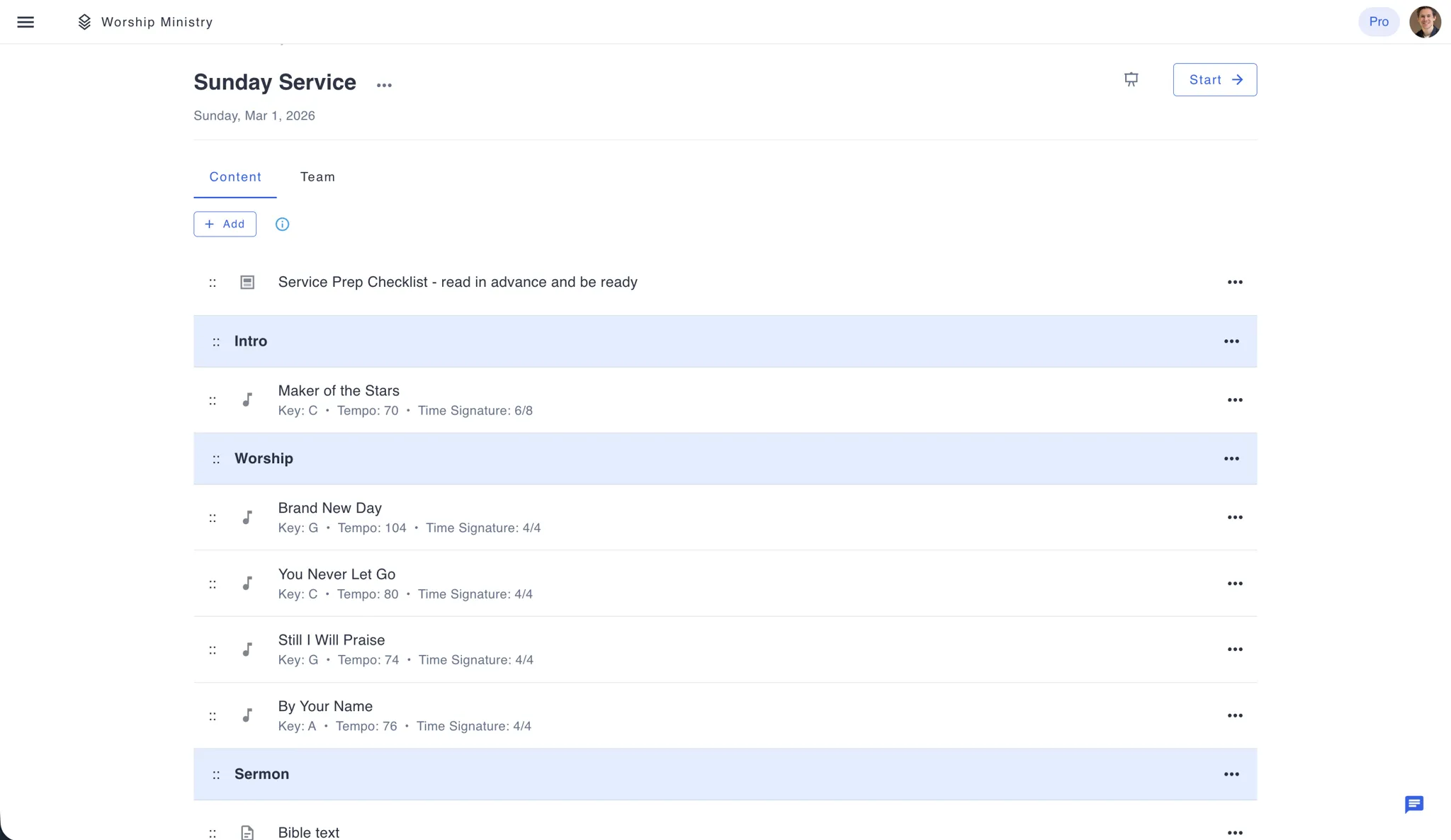
Make a Set
- Go to Sets, click "Create New"
- Add a title ("Sunday Morning Service")
- Pick the date and time
- Add a description if you want
- Click "Create"
Now add songs to it.
Adding Songs
- Click "Add Song"
- Search or browse your library
- Click songs to add them
- Reorder by dragging
Drag and drop to change the order.
What to Include
Title - "Christmas Eve Service" or "Band Practice - New Songs"
Date - When it's happening
Time - Start time
Description - Theme, dress code, special notes, whatever your team needs to know
Organizing Your Songs
Think about flow:
- Start with something upbeat
- Build momentum
- Include quiet moments
- End with purpose
Consider keys and tempo - smooth transitions make better services.
Team Coordination
Assign members - Tag who's needed for each set
Send notifications - Alert your team about new or updated sets
Make changes - Edit anytime, everyone sees updates
View Your Sets
List view - All sets chronologically
Calendar view - See your month at a glance
Click any set to see details, or click Start to open Live View and display your setlist.
Tips
Plan ahead - Create sets 2-4 weeks out so your team can prepare
Reuse structure - Made a great set? Duplicate it for next week and swap a few songs
Keep notes - Add what worked, what didn't in the description for next time
Communicate - Send notifications when sets are finalized
Related
- Live View - Display your setlist during live performances
- Presentations - Project your setlist for the congregation
Good planning makes great performances. Take time to craft your sets.
Ready to plan your next service? Create your first set →